Skip to content
Chrome extension for makers

Do more with your board.

Save a Pinterest board to your computer, then turn it into a colour palette, a moodboard and a lookbook PDF.

Free to start. Pro is $29 a year. No account, no card for the 3-day trial.

garden studio
kitchen reno
bathroom blues

Kitchen reno — palette

Pulled from 148 pins
C65D3BE9A27CF3D9C46B3A2A2F2A26
Board Sync: every Monday, 9am — new pins land on their own
How it works

Three steps.

01 · Save

Save the board.

Open a board and click once. It’s saved to a folder on your computer, named after the board. Sections, searches and picked pins too.

02 · Palette

Get the palette.

Studio reads the colours and gives you a palette with hex codes. Export it as Adobe or GIMP swatches, or lay out a moodboard.

03 · Lookbook

Export the PDF.

Pick the pins, choose A4 or Letter, and export a lookbook with a palette page and a link under every image.

Studio · Pro

Every board has a palette.

Studio reads the colours in a board and names them. Copy one hex code, copy them all, or export swatches for Adobe and GIMP.

  • Palettes, with hex codes and .ase / .gpl swatches
  • Moodboards, and pins sorted by colour or subject
  • Lookbook PDFs, sized for print
Terracotta & Soot Read from 148 pins

tap a colour to copy it

Adobe swatches (.ase)
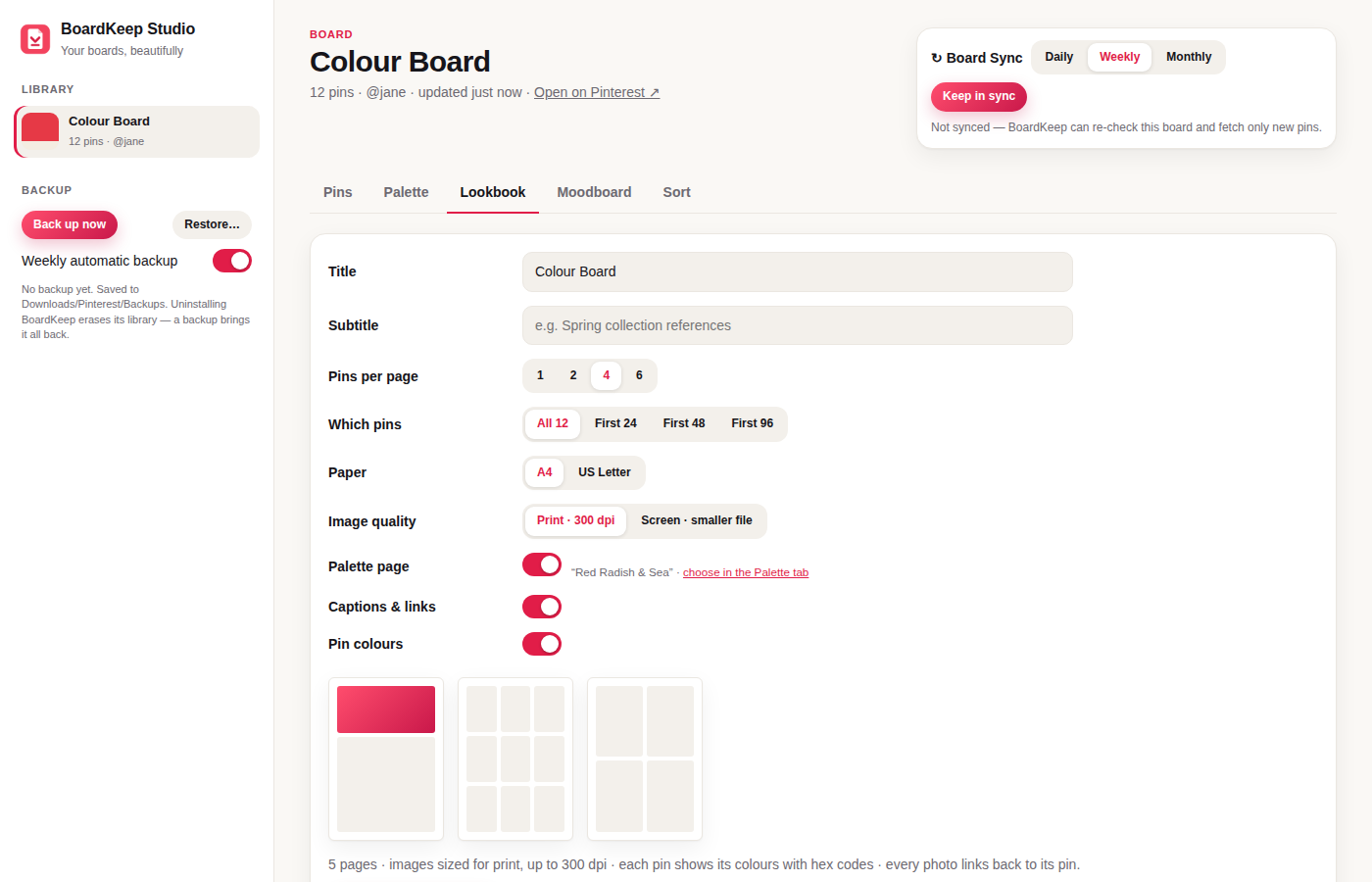
Lookbook settings in BoardKeep Studio: pins per page, paper size, print quality, palette page and captions
Lookbook · Pro

A lookbook, ready to send.

Choose the pins, the paper size and how many per page. Studio builds the PDF with a palette page at the front and a link under every image. Images are sized for print, up to 300 dpi.

  • Up to 300 dpi
  • A4 or Letter
  • Palette page
  • Links on every image
Board Sync · Pro

New pins, saved on a schedule.

Follow a board and BoardKeep checks it daily, weekly or monthly. New pins go into the same folder.

Sync frequency
  1. Step 1Follow “Autumn living room”
  2. Step 2BoardKeep checks every Monday, 9am
  3. Step 3New pins are in the folder.
Coming soon · Pro

Pick pins anywhere. Get them on a new board.

Tick the pins you want on any Pinterest page, give the board a name, and BoardKeep makes it on your Pinterest account and saves your picks there. It’s waiting on Pinterest’s approval. Pro includes it the day it’s ready.

01 · Pick

Pick the pins.

Click Pick pins and tick the ones you want, from a board, a search or anywhere else.

02 · Name

Name the board.

Choose a name and who can see it: only you, or everyone. You see exactly what will happen before anything is saved.

03 · Done

Find it on Pinterest.

BoardKeep makes the board and saves your picks one at a time, and shows you which ones saved.

Everything stays on your computer.

No account, no cloud, nothing uploaded.

Every pin keeps its link.

Back to the pin and the person who made it, in the folder and in the PDF.

Weekly backup.

One file. Restore it on any computer.

Pricing

Start free. Go Pro for whole boards.

Free

$0no card, no account

Unlimited single pins, plus up to 10 pins a day from boards. Manual backup.

Pro

$29a year

Whole boards, no limit. Studio, Lookbook, Board Sync. Weekly backups. Every new feature.

Try Pro free for 3 daysNo card. No account.

Founding lifetime: $79 once. The first 200 keep Pro for good. Then it’s yearly only.

Full pricing, with every plan side by side.

Try it on a board.

Install, open a board, click once. The palette is ready before you are.

Chrome Web Store listing goes live with the public launch. This preview site is for pricing and legal pages.